





Upload
AI Scan
3D View
Print
Photos are auto-deleted after order completion
Upload Your Masterpiece
Begin by choosing a single high-resolution photo. We'll automatically check the quality to ensure a perfect print.
Vivid Color
Fade Proof
Manual Check
Why Print With Us?
... people ordered prints today
Fast Shipping (3-5 Days)
12-Color Archival Printing
Premium Raw Materials
Protective Lamination Included
Handcrafted Frames
High-Gloss Ceramic Mugs
Crystal Clear Acrylics
Lifetime Fade Warranty
100% Satisfaction Guarantee
SSL Secure Checkout
Your photos are private & deleted after printing.
Popular Print Sizes
Not sure which size to choose?
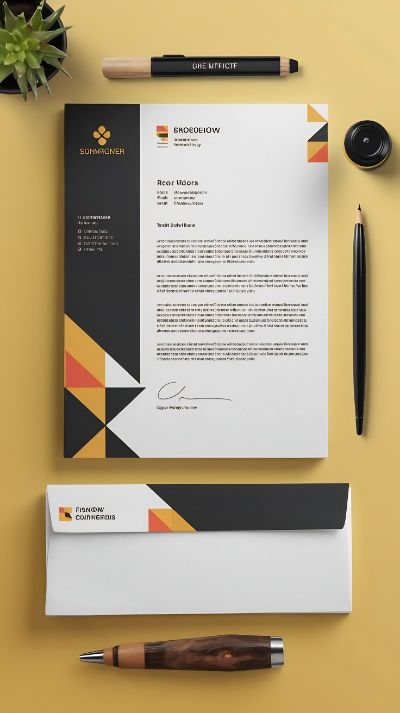
How to Order Letterhead Prints on PrintingPune.com
- Visit PrintingPune.com
Go to PrintingPune.com and navigate to the "Letterhead Prints" section under the product categories. - Choose Your Paper and Customization
Options
Select the paper type (80 GSM or 100 GSM) and other preferences like finish and print options for your letterheads. - Upload Your Design
Upload your custom design, including your company logo, contact details, and branding elements. If you don’t have a design, you can use our design assistance service to create one. - Review and Select Quantity
Once the design is uploaded, review the preview, then select the quantity of letterheads you want to print. We offer no minimum order requirement, so you can order as few or as many as you need. - Add to Cart
After finalizing your design and quantity, click “Add to Cart” to proceed. - Proceed to Checkout
In your cart, review your order details and apply any available discount codes or promo offers. Then, proceed to checkout. - Enter Shipping and Billing Details
Provide your shipping address and billing information. Select your preferred payment method, such as credit/debit card, net banking, or UPI. - Confirm and Place Your Order
Double-check all the order details, including quantity, design, and shipping info, and confirm your order. - Order Confirmation and Delivery
After placing the order, you’ll receive a confirmation email with your order details and an estimated delivery date. Track your order status using the tracking number provided.
Frequently Asked Questions
We accept JPG, PNG, and HEIC files (min 300 DPI recommended).
Standard delivery is 3-7 business days across India.
Yes, we use a protective water-resistant coating.
Yes! If your order arrives damaged, send us a photo within 24 hours for a free replacement.
Yes, contact our support for custom size requirements not listed here.
 Continue with Google